
Quality record
Grades, clearance, the tolerance band and Cpk, with the heatmap of the drive. The same run goes out as PDF, XLSX or DXF.
Analytics in the manual →TunnelCAD is desktop software for tunnel monitoring. Import surveyed profiles or cut them from a point cloud, lay them on the theoretical template, and take out volumes, clearance and a report.
Windows · Linux · 166-page manual
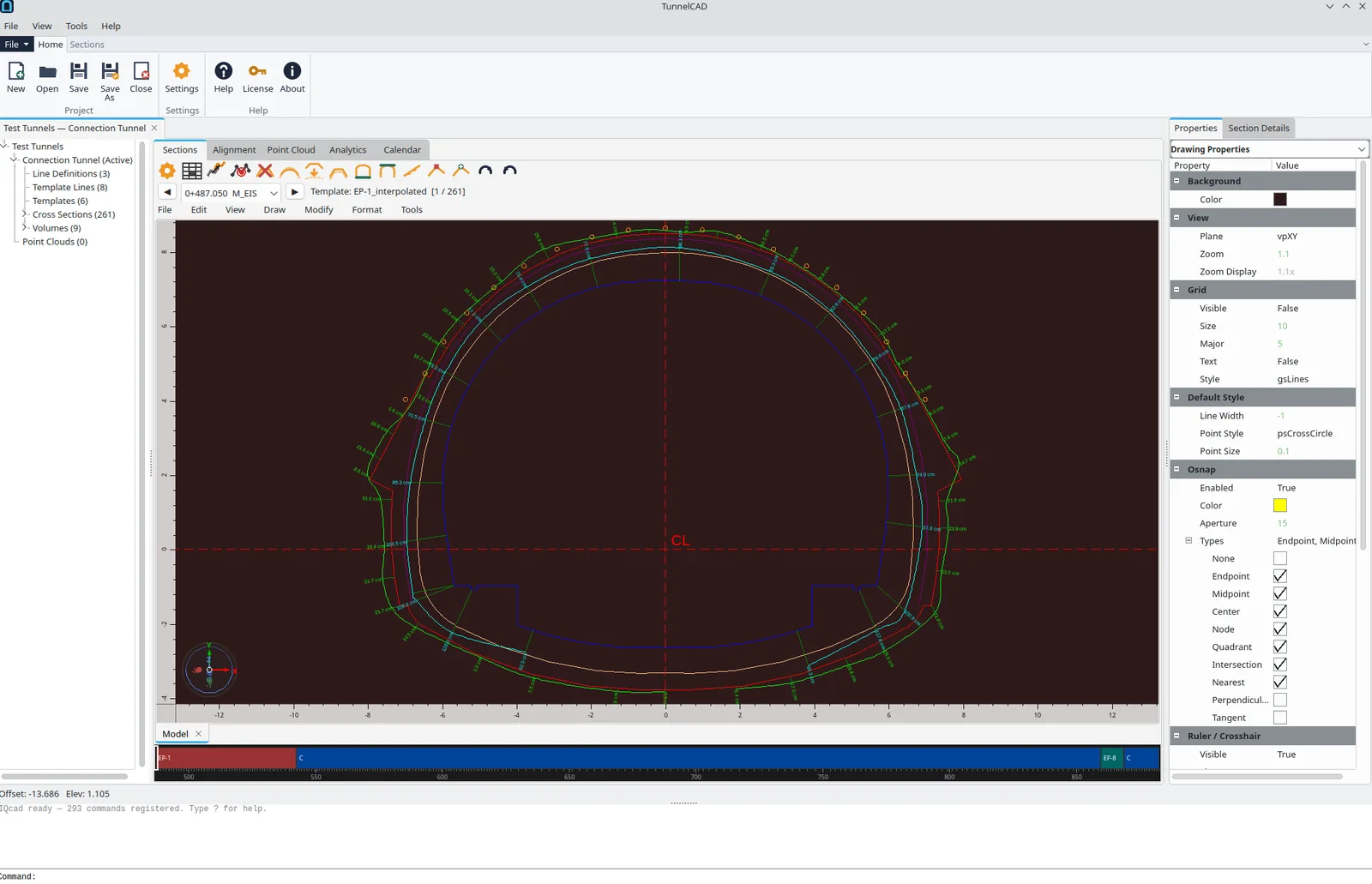
Measured section at 0+487.050, with the template and deviation ticks
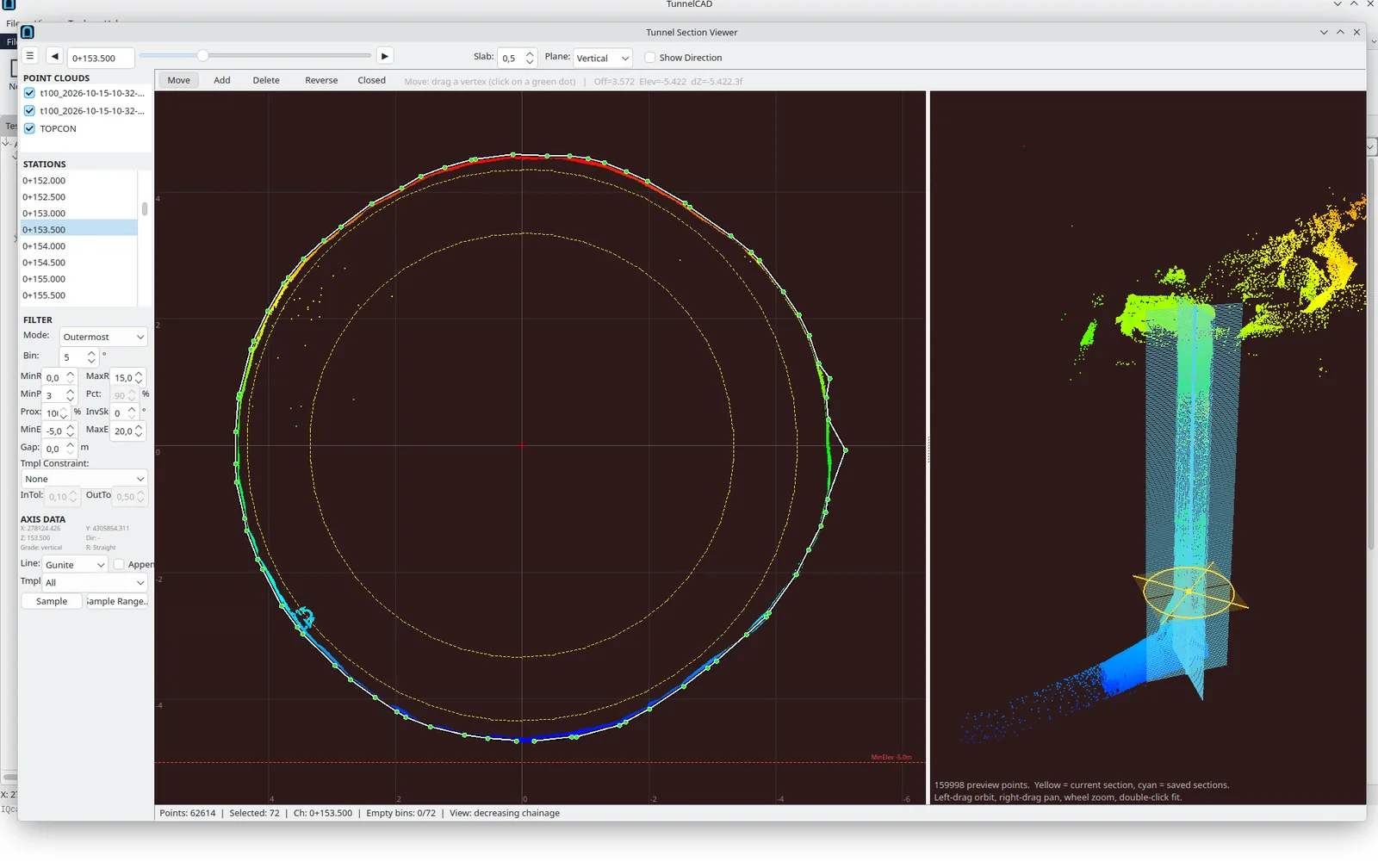
A section cut from the scan, with a 3D preview of the cloud
Load LAS, LAZ or E57 and walk the stations. The section viewer samples the scan, draws it against the design, and keeps a 3D preview of the cloud around the cut.
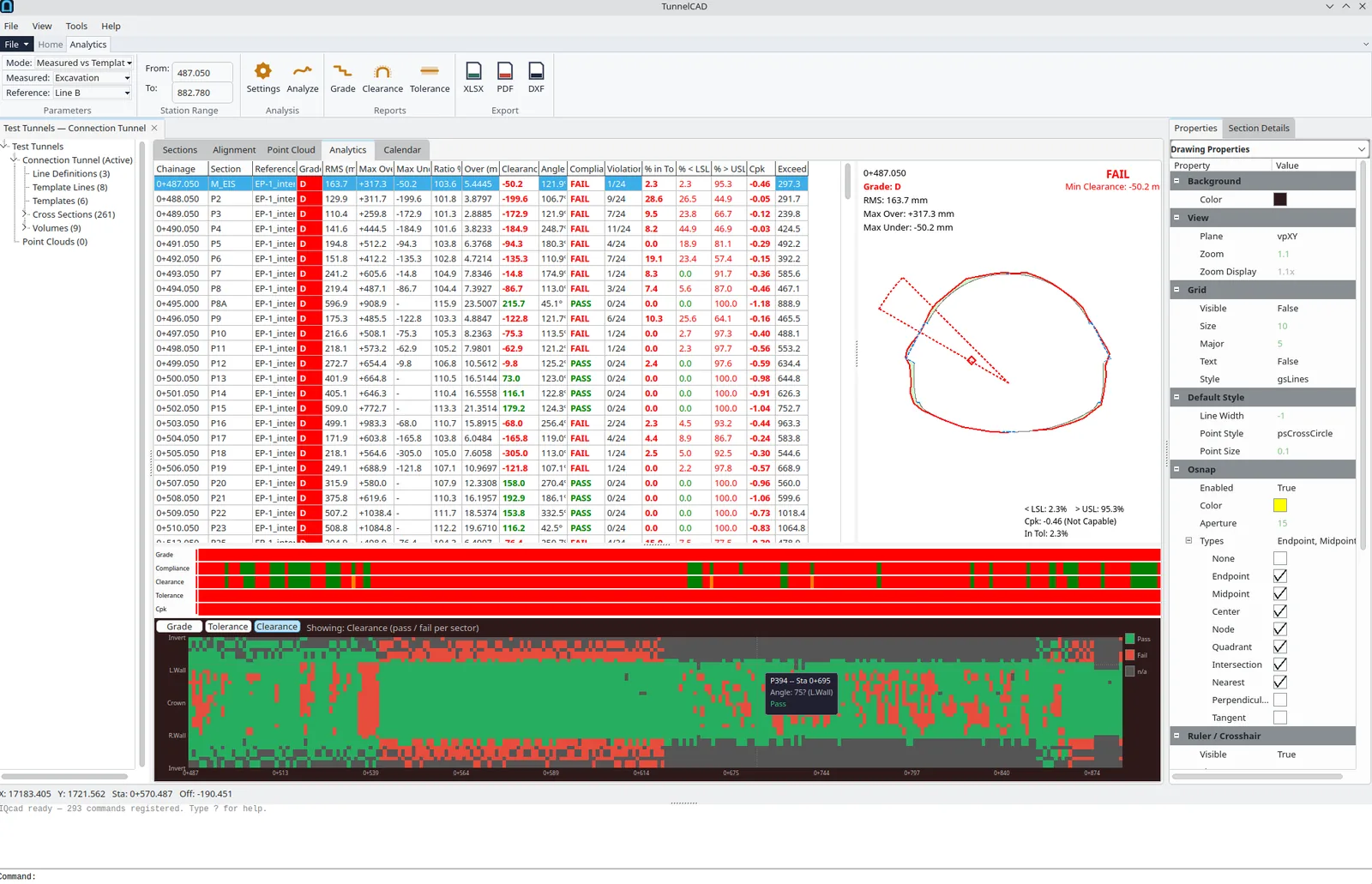
Grades, a clearance heatmap, and the polar diagram for one station
Compare a measured line with the template, or two surveys with each other. Each station gets an RMS, overbreak and underbreak, a clearance result and a Cpk. The drive below the table is a heatmap.
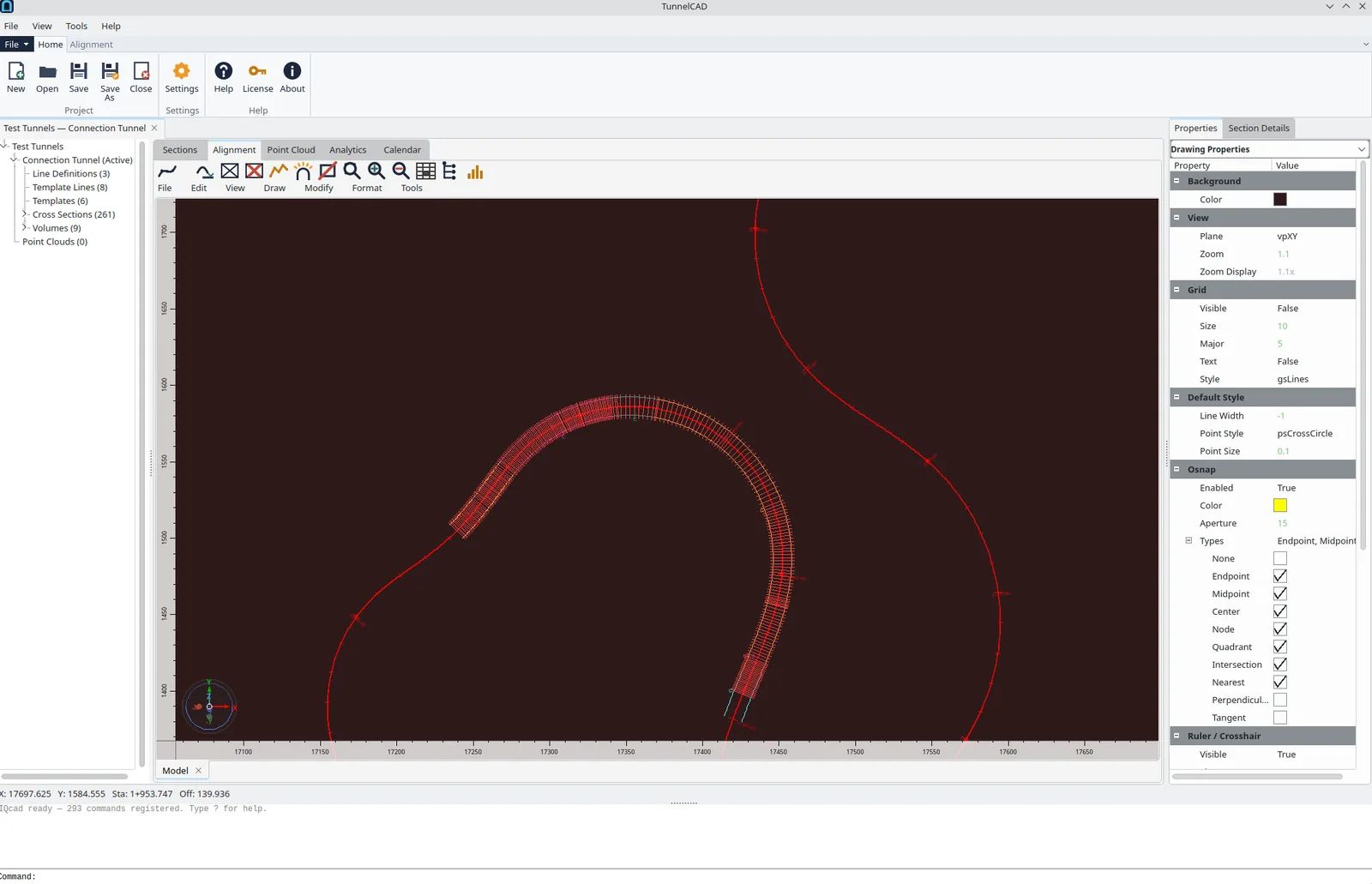
The alignment in plan, with sections ticked along the drive
Horizontal and vertical geometry stay with the sections. Chainage is the same number on the section, in the report and on the sheet. When the axis moves, realignment takes the survey with it.
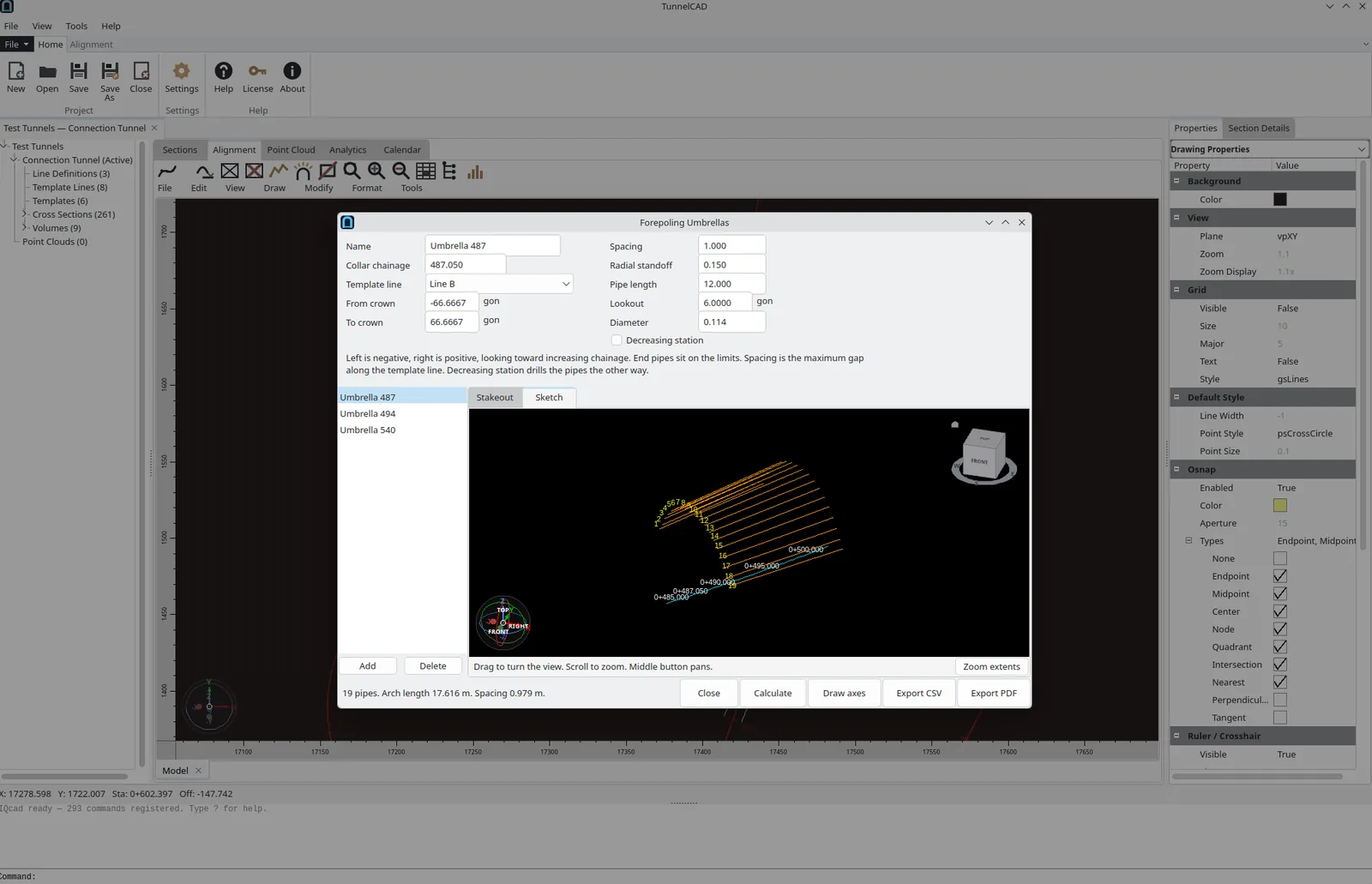
Forepoling umbrella — design inputs and a sketch of the pipes
An umbrella stores the collar chainage, the crown window, the spacing, the pipe length, the lookout and the diameter. Calculate fills the stake-out table. The sketch shows the numbered pipes along the drilled length.
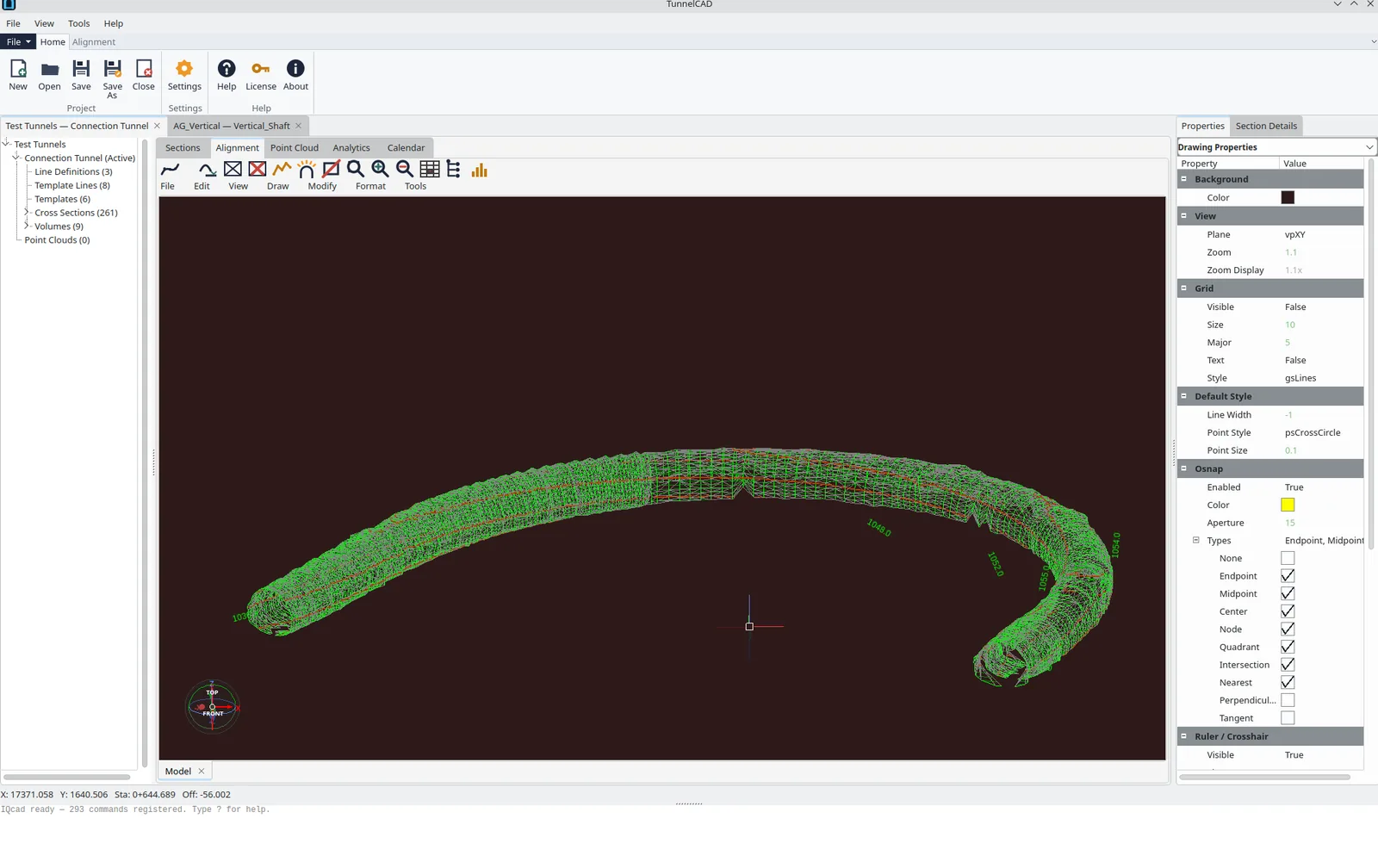
The excavated tunnel as a mesh along the alignment
A volume is a formula over the lines on each section. Add or subtract measured and template lines, clip to a level, then accumulate the area along the chainage. The mass table lists every station and the running total.
Line definitions for excavation, shotcrete and lining, with deviation ticks against the template at each station.
Assign a template by station range, transition between them, import a DXF profile, and copy a set to another tunnel.
LAS, LAZ and E57, sampled into a section with a slab, filters and a 3D preview of the cloud.
Per-station RMS, area and excavation ratio. The A–D limits are stored in the project.
The lining divided into sectors. Each sector is a pass, a warning, a fail, or empty.
Share of the profile inside the band, the largest exceedance, and process capability.
Overbreak, underbreak, lining or a custom sum of lines. Applicable length or average areas, then a mass table.
Coordinates, deviation against the theoretical line, and DR trend. PDF or XLSX, summary or every point.
Horizontal and vertical geometry, chainage on every section, and realignment onto a new axis.
Collar, crown window, spacing, length and lookout. Stake-out to CSV, and a PDF of the design.
.tun projects, LandXML 1.2 and 2.0, DXF templates, measurement text, and legacy .tcm converted in.
Several tunnels in one file, a calendar of the work, and units saved with the project.
The numbers stay attached to the stations they came from.
Grades, clearance, the tolerance band and Cpk, with the heatmap of the drive. The same run goes out as PDF, XLSX or DXF.
Analytics in the manual →A mass table of area and volume at every station, with the cumulative total, written to CSV or Excel.
Volumes in the manual →The project is a .tun file. LandXML, DXF templates and measurement text move the geometry. A legacy .tcm file converts in.
Import and export →The method is named, and the file is not a private format only.
Radial deviation, grades from RMS and ratio, clearance by sector, and two ways to turn area into volume.
The working file is .tun. LandXML, DXF, CSV, XLSX and PDF are the way out. A .tcm file from an older TunnelCAD converts in.
A 166-page manual, release 2027.11.30: sections, templates, volumes, point clouds, analytics, reports and the file formats.
Sign in for an installer, then open a project.
Illustrative profiles, not customer testimonials.
Brings the round in from the instrument or the scanner, checks the deviation against the template, and sends a PDF that shows the station.
Profile · survey crewWatches overbreak and underbreak station by station, and sees the bad stretch on the heatmap before the lining crew arrives.
Profile · tunnel siteFiles clearance and Cpk for the client, with the sector that failed and the chainage it sits on.
Profile · supervisionSets a forepoling umbrella, exports the stake-out, and steps the sections without leaving the project.
Profile · constructionTakes a mass table of overbreak or shotcrete, with the formula written down and the total at the bottom.
Profile · measurementKeeps several tunnels in one .tun file, and hands over LandXML or a PDF instead of a seat on someone else's software.
Profile · project office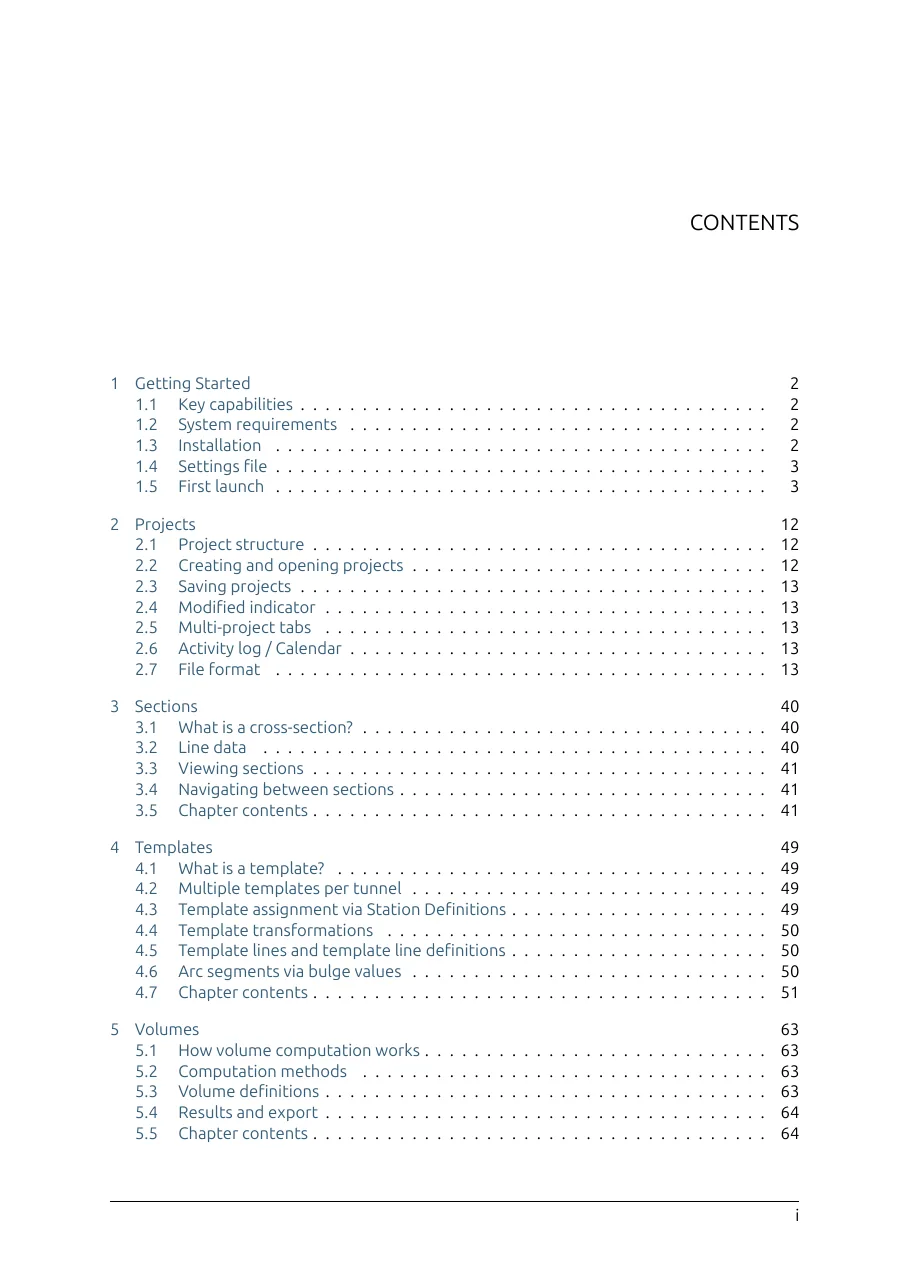
Getting started, projects and alignments, sections, templates, volumes, point clouds, analytics, reports, and import and export. 166 pages. Release 2027.11.30. The same manual opens from Help inside the application.
Sign in to download the builds assigned to your account.
Windows installer 2027.6.30, 1 July 2026. Linux package 2027.3.38, 8 May 2026, an earlier build. Installers are issued to each account. The SHA-256 is shown after you sign in. The manual is release 2027.11.30 and does not need an account.